Try free: 5 credits, no account needed

Manga translator — read manga, manhwa and webtoon in your language

Use this manga translator for Japanese manga, Korean manhwa and webtoon files. Upload images, PDF, ZIP or CBZ, check your credit quote, then read pages as they finish. Export the translated chapter as CBZ, ZIP or PDF.

See manga translation examples
English translation

Japanese or Korean detected automatically

How it works

How this manga translator works

  1. STEP 1

    Upload your manga chapter

    Images, PDF, ZIP or CBZ — up to 300 pages. PDFs are converted to page images in your browser; those pages upload only when you press Translate. The original PDF stays on your device.

  2. STEP 2

    AI translates the page

    Japanese or Korean is auto-detected. Detected text is erased, translated and typeset back in place; stylized handwriting may be missed.

  3. STEP 3

    Read or take it with you

    Read translated pages in your browser as they finish. Download a CBZ for compatible comic readers such as Mihon, a ZIP of page images, or a PDF.

Preparing scans or screenshots? Read the manga image preparation guide for formats, page order and lettering checks.

Before / after

Original panels, relettered in English.

Drag the divider left or right to compare real Japanese manga and Korean webtoon pages before and after translation.

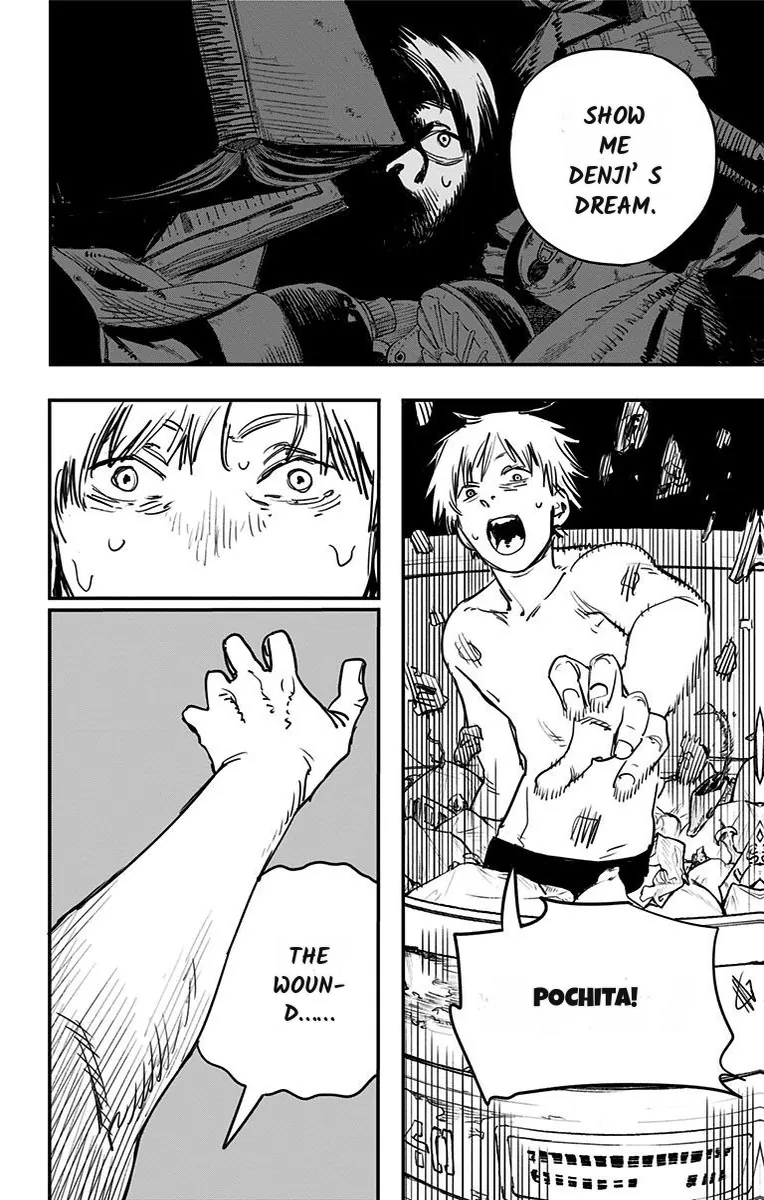
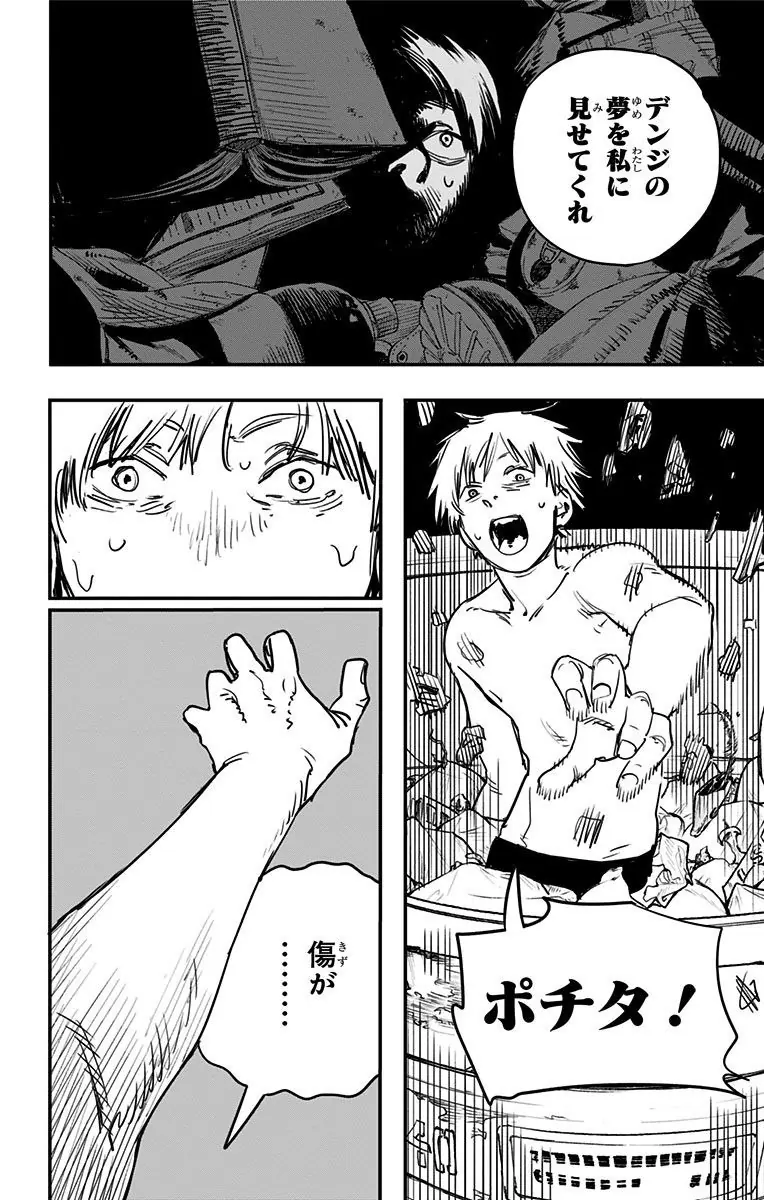
Japanese · Chainsaw Man ch.1

Black-and-white action, dialogue and bold display lettering — cleared and redrawn in place.

The same Chainsaw Man page with English lettering placed back into the artworkOriginal Japanese Chainsaw Man page with speech bubbles and Pochita lettering
OriginalEnglish

The large sound effect is redrawn in English as part of the page.

Chainsaw Man ch.1 p.36 · Shueisha / Shōnen Jump+ · MangaFluent translation preview.

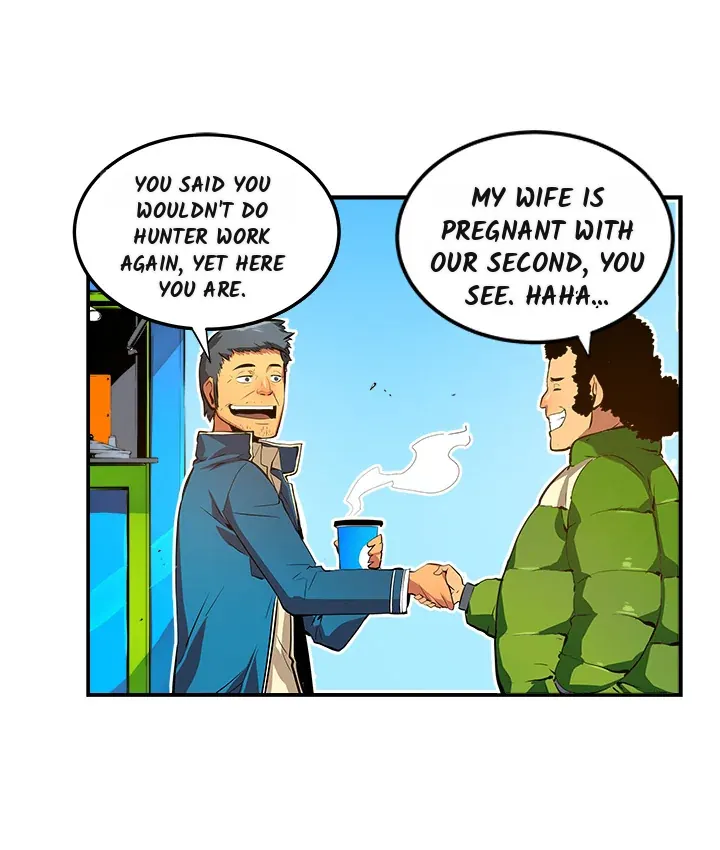
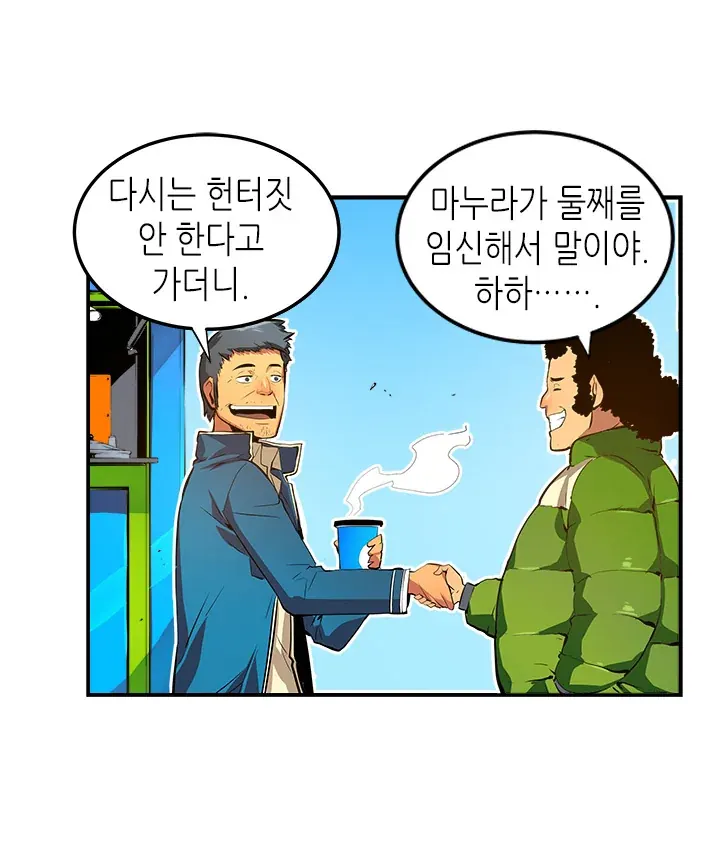
Korean · Solo Leveling ch.1

Full-color webtoon artwork with Korean dialogue replaced by English lettering.

The same Solo Leveling webtoon panel with English text in the speech bubblesOriginal Korean Solo Leveling webtoon panel with dialogue in two speech bubbles
OriginalEnglish

Korean is detected from the page; the source language needs no manual selection.

Solo Leveling ch.1 p.28 · D&C Media / Kakao Webtoon · MangaFluent translation preview.

Your chapter files

Japanese manga and Korean manhwa, ready to read

Translate raw manga to English

Bring Japanese chapter images or a PDF, ZIP or CBZ you have the right to translate. The AI works with detected dialogue and page context, then places the translation back onto the artwork. Compare original and translated pages in the reader; stylized lettering and handwritten sound effects can still be missed.

Japanese manga translation and PDF guide

Upload a manga chapter

Manga translator guides

Find guidance for your language, files and reading workflow.

Vision AI

Translation guided by the artwork

The AI checks detected Japanese or Korean text against the full page and chapter context. Handwritten or highly stylized text can still be missed.

Vision AI translation

Checks detected text against the artwork

Read pages as soon as they're ready

The model uses the full page and scene context to help correct OCR and translate detected dialogue and effects. Handwritten or highly stylized text can still be missed. Every page costs one credit, regardless of image dimensions.

  • Cross-checks detected text against the artwork
  • Uses scene context for dialogue and detected SFX
  • Chapter glossary helps keep names consistent
  • One credit per page, quoted before translation

What languages does it support?

Japanese and Korean source text is detected automatically. English is the default target language — you do not need to choose a target to translate into English. Other target languages will appear in the language menu when they become available, and translated text is placed back into the original speech bubbles.

Pricing

One-time credit packs for chapter translation

1 credit per page, regardless of image size. Your exact page count and total are shown before translation.

Valid while your account is active

Starter

$4.99one-time

1,000 credits

Credits remain valid while your account is active

Plus

$9.99one-time

3,000 credits

Credits remain valid while your account is active

Pro

$29.99one-time

10,000 credits

Credits remain valid while your account is active

A 20-page chapter costs 20 credits, regardless of image dimensions. All packs are one-time purchases — no auto-renewal (see Terms).

FAQ

Manga translation questions, answered

What is MangaFluent?+

MangaFluent is an AI manga translator for Japanese manga, Korean manhwa and webtoon files. Upload your chapter, check the page quote, then read English pages as they finish or export them as CBZ, ZIP or PDF. Detected text is cleared and the translation is placed back into the artwork.

How do I translate raw manga to English?+

Add Japanese manga images or a PDF, ZIP or CBZ chapter, and check the page count and credit quote. English is the default output. Press Translate to upload and start processing. Japanese or Korean is detected automatically using the first page; a cover with little readable text can make detection less reliable. Only upload content you have the right to translate.

Can I translate Korean manhwa and webtoons?+

Yes. Korean is a supported source language, and translations are in English. For tall webtoon strips, split the artwork into shorter images before uploading if a page exceeds the processing limits. Each page costs one credit, and the quote shows the total before translation.

How does the translation work?+

A vision AI model checks detected text against the full artwork and scene context. Completed pages appear in the reader as they are ready, and a chapter glossary helps keep character names consistent. Results depend on the page and current processing load.

Can this manga translator handle a full chapter?+

Yes. Add JPG, PNG or WebP images, a PDF, or one ZIP/CBZ archive containing supported images. Archives must be selected on their own. Each chapter can contain up to 300 pages and 50 MB, with each page up to 20 MB and about 25 megapixels; very tall strips can also exceed the processing limit. PDF pages are converted to images in your browser, so the original PDF stays on your device. Files are uploaded only after you press Translate. Each physical page costs one credit; a full chapter may need more credits than the limited free trial provides.

Who can access my uploads, and when are they deleted?+

Jobs are linked to your browser session or signed-in account, rather than published in a public gallery. Cloud and AI service providers process page content to deliver translations; page images and extracted text may be sent through OpenRouter to model providers. On MangaFluent, page images, reader text and results are retained for 24 hours after the latest run finishes, then queued for deletion. Another run resets the window, and cleanup backlogs or failures can delay removal. Basic job-history and billing records remain. Provider-side retention follows the providers' own policies. See our Privacy Policy for details and deletion requests.

Can I use the manga translator for free without signing up?+

You can try 5 free credits without an account, enough for up to 5 pages. Your first Google sign-in adds 30 bonus credits. This is a limited trial, not unlimited free translation; trial usage limits apply. Paid credit packs start at $4.99 for 1,000 credits and remain valid while your account is active, with no subscription. Every page costs one credit, regardless of image size. Check your quote before starting.

Can I download translated manga as CBZ, ZIP or PDF?+

Yes. The job page offers CBZ for compatible comic readers, ZIP for page images, and PDF assembled in your browser. Review the translation before exporting and save your files before the retention window ends. If only some pages finish successfully, an export may contain fewer pages than the original chapter.

Will it translate handwritten sound effects?+

It translates text regions the detector finds. Large, stylized, or handwritten effects can be missed and remain in the original. Review the pages in the reader before exporting.

Can I read a chapter locally without translating it?+

Yes, for images and PDF page previews: select your files, then click a preview to open the local fullscreen reader. ZIP/CBZ selection shows the archive's page count and credit quote, without a local reading preview. Nothing is uploaded until you press Translate.

Is there a manga translator extension or website URL import?+

Use MangaFluent with files selected from your device: supported images, a PDF, ZIP or CBZ that you have the right to translate. A browser extension, APK and website URL import are not currently available. Local previews stay on your device; translation uploads page images for cloud processing.
Read our Privacy Policy for provider processing and retention, our Terms for credits and refunds, and our Acceptable Use Policy before uploading.